Travel booking platforms, APIs and back-office software for agencies, OTAs and wholesalers
Official brand resource centre

Innovate Solution brand kit

The single source of truth for the Innovate Solution brand: official logo files in SVG and PNG, favicons and app icons, social media assets, the colour palette with HEX, RGB and CMYK values, typography and the rules for using them. Free for customers, partners, media and designers — no sign-up.

Last updated · Questions: press@innovatesolution.com

Brand overview

Who we are, in one look.

Innovate Solution is a B2B travel-technology company founded in Dhaka in 2013, headquartered in Singapore with operations in the UAE and Bangladesh. It builds booking platforms, travel APIs and back-office software for travel businesses — 12 products in all.

The identity is built on one mark: an isometric cube drawn from circuit traces, in three tones of navy, teal and cyan. It stands for technology that connects — the same idea as the company line, “Connecting Ideas to Innovation”.

The brand voice is clear, technical and precise: plain sentences, real facts, no hype.

Name
Innovate Solution — two words, singular
Tagline
Connecting Ideas to Innovation
Legal name (HQ)
Innovate Solution Global Pte. Ltd.
Website
www.innovatesolution.com
Logo colours
Navy #201A57 · Teal #6ACACE · Cyan #19B5E1
Typefaces
Sora · DM Sans · JetBrains Mono

Company details: Company facts. Press: Media coverage.

Logos

Official logo files — SVG and transparent PNG.

Four approved lockups, each in six colour versions. Use SVG for print and the web wherever possible; PNG files have transparent backgrounds. Every file is produced from the master artwork — never redraw or retype the logo.

Primary logo Stacked lockup

The first choice wherever there is room: website footers, documents, presentations, signage and press.

Horizontal logo Secondary lockup

For wide, short spaces: website headers, email signatures, banners, partner logo strips.

Icon Logomark only

Where the name is already present or space is square: app icons, avatars, favicons, watermarks.

Wordmark Name only

Only where the icon appears separately nearby, or a very narrow space cannot hold the icon.

Logo usage

Which logo, where.

SituationUseWhy
Documents, presentations, press, signagePrimary logoThe complete, most recognisable version.
Website header, email signature, wide bannersHorizontal logoStays legible in short, wide spaces.
Partner logo walls, “clients and partners” stripsHorizontal or primary logoMatch the shape of neighbouring logos; full colour or all-white to match the strip.
Avatars, app icons, favicons, watermarksIconSquare spaces; the name is shown next to the avatar anyway.
Narrow strips where the icon is shown separatelyWordmarkAvoids repeating the icon twice in one view.
Merchandise, embroidery, one-colour printSingle-colour navy, black or whiteFewer inks; no gradients or fine colour transitions to reproduce.
  • Use the files exactly as supplied. Scale proportionally only — hold Shift, or set width and leave height on auto.
  • Prefer the SVG. If you must use PNG, use a file at least as large as it will be displayed (2× for retina screens).
  • In running text, write the name as Innovate Solution — never in the logo's capitals, and never “Innovate Solutions”.
  • Product brands (InnoTravelTech, ReservationHub, TripGic, TripMargin, UmrahCore, Inno Message, travoPilot, travoBooks, TRI, Drop Catch, bedsKey, and TransferArc) have their own logos — use those for product-specific material, and the Innovate Solution logo for the company.
Clear space & minimum size

Give the logo room to breathe.

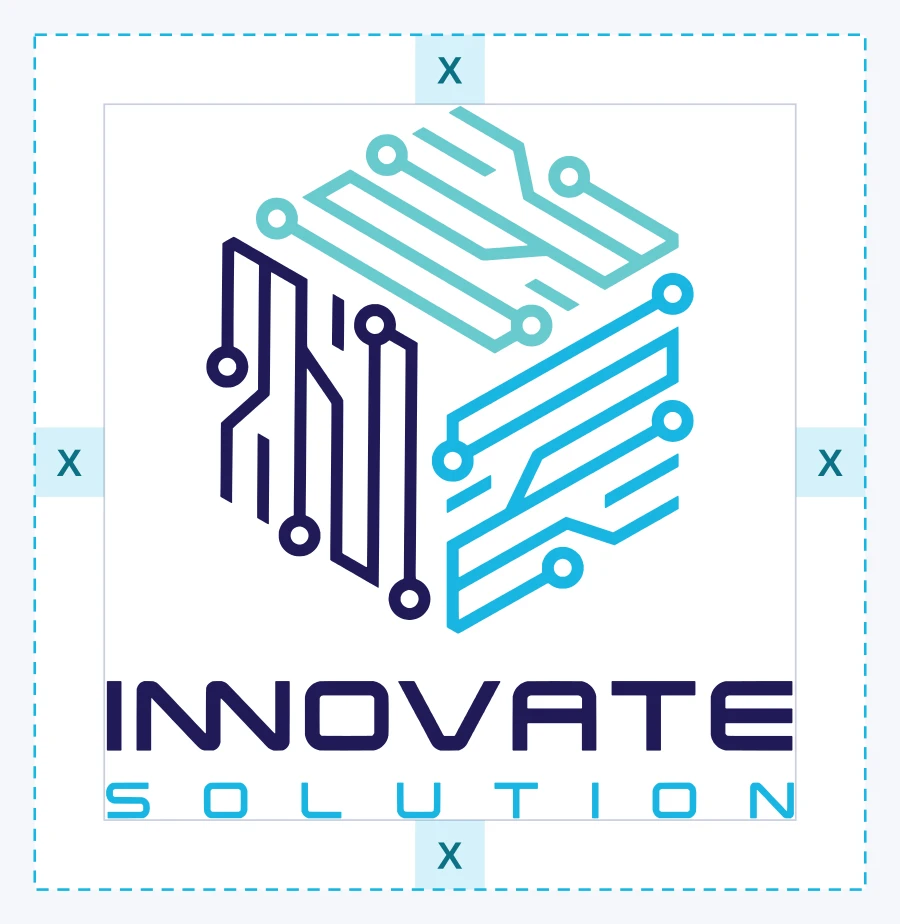
Clear space X equals the height of the letters in “INNOVATE”. Keep at least X empty on every side — no text, edges, images or other logos inside it.

Clear-space diagram: the primary logo surrounded by a margin equal to X, the height of the INNOVATE letters
Primary logo — clear space X on all sides
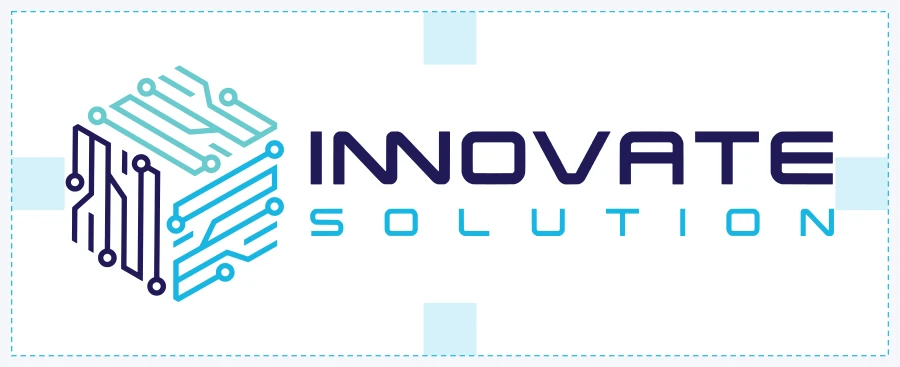
Clear-space diagram for the horizontal logo
Horizontal logo — same rule, X scales with the logo
VersionMinimum on screenMinimum in print
Primary (stacked)96 px wide25 mm wide
Horizontal140 px wide35 mm wide
Wordmark120 px wide30 mm wide
Icon24 px (16 px for favicons only)8 mm

Below these sizes the “SOLUTION” letters and the circuit lines in the cube become illegible — switch to the icon instead.

Approved and prohibited use

Do this, never that.

Approved

Approved: full-colour logo on a white background
Full colour on white or very light backgrounds.
Approved: reversed logo on navy
Reversed logo on navy, black or dark images.
Approved: white logo on brand cyan
All-white logo on brand colours.

Prohibited

Prohibited: don’t stretch or squash
Don’t stretch or squash. Always scale proportionally.
Prohibited: don’t recolour
Don’t recolour. Use only the approved colour versions.
Prohibited: don’t rotate or tilt
Don’t rotate or tilt. The logo always sits level.
Prohibited: don’t add effects
Don’t add effects. No shadows, glows, outlines, bevels or gradients.
Prohibited: don’t use low contrast
Don’t use low contrast. Never put the full-colour logo on navy or busy images — use the reversed or white version.
Prohibited: don’t rearrange
Don’t rearrange. Never move, resize or separate the icon and the wordmark yourself — use the supplied lockups.

Also don’t: crop the logo, add words to it, place it inside another shape, animate its parts, use an old or screenshot version, or combine it with another company’s logo into a new mark.

Colour palette

Brand colours — HEX, RGB and CMYK.

The logo uses three colours: Innovate Navy #201A57, Innovate Teal #6ACACE and Innovate Cyan #19B5E1. The website and digital products add Web Navy #1B1B5C, Web Cyan #29C5E0 and supporting neutrals. Click any value to copy it.

Logo colours

Innovate Navy

Logo — INNOVATE wordmark and left face of the cube

HEX
RGB
CMYK

Innovate Cyan

Logo — SOLUTION wordmark and right face of the cube

HEX
RGB
CMYK

Innovate Teal

Logo — top face of the cube

HEX
RGB
CMYK

Digital and supporting colours

Web Navy

Website primary — headings, buttons, theme colour

HEX
RGB
CMYK

Web Cyan

Website accent — highlights and links on dark

HEX
RGB
CMYK

Deep Navy

Body text and dark sections

HEX
RGB
CMYK

Link Cyan (accessible)

Links and small cyan text on white (AA contrast)

HEX
RGB
CMYK

Cloud

Light section background

HEX
RGB
CMYK

White

Primary background

HEX
RGB
CMYK

CMYK values are calculated from RGB. For printed work, approve a physical proof with your printer before a production run. Colour files: Adobe .aseASE · 1 KB GIMP/Inkscape .gplGPL · 1 KB CSS variables1 KB JSON2 KB Swatch sheetPNG · 52 KB

PairingContrastUse for
Web Navy #1B1B5C on white15.5 : 1 — AAAHeadings, body text, buttons
White on Web Navy #1B1B5C15.5 : 1 — AAADark sections, button labels
Link Cyan #0C7186 on white5.6 : 1 — AALinks and small cyan text
Web Cyan #29C5E0 on Deep Navy #0E0E3D8.8 : 1 — AAAAccents and links on dark
Web Cyan #29C5E0 on white2.1 : 1 — failsDecoration and large graphics only — never text
Typography

Three typefaces, one voice.

All three are free, open-source Google Fonts (SIL Open Font License). The INNOVATE SOLUTION wordmark is custom lettering — it is artwork, not a font.

Aa

Sora

Headings and display · 600–700

Connecting Ideas to Innovation

Get Sora ↗
Aa

DM Sans

Body and interface · 400–700

Travel booking platforms, APIs and back-office software for travel businesses.

Get DM Sans ↗
Aa

JetBrains Mono

Code, data and API examples · 400–600

GET /v1/air/search?from=DAC&to=SIN

Get JetBrains Mono ↗
StyleFontSize (web)
H1Sora 70040–56 px
H2Sora 60028–34 px
H3Sora 60020–22 px
BodyDM Sans 400, line height 1.616–18 px
Small / captionsDM Sans 50013–14 px

Fallbacks: system-ui, Segoe UI, Roboto, Arial. Arabic: Noto Kufi Arabic or Segoe UI. Bangla: Noto Sans Bengali or Hind Siliguri. Typography sheetTXT · 1 KB

Iconography & visual elements

The circuit-trace language.

Lines end in nodes

Strokes are straight, of even weight and finish in an open circle — like the traces of the cube.

Isometric angles

Lines run vertical or at 30° — the angles of the cube. Avoid arbitrary diagonals and curves.

Patterns stay quiet

On covers and banners the trace pattern sits at 10–25 % opacity behind content, never through the logo.

  • Interface icons: outline style, 1.5–2 px stroke on a 24 px grid, round joins, single colour (Web Navy or Link Cyan). No filled emoji-style icons beside the logo.
  • Imagery: real product screens and real team photos (see Gallery) — no stock photos of people pretending to be staff or clients.
  • Corners: UI cards and buttons use 10–16 px radius; app icons use the platform's own mask.
Backgrounds & contrast

Pick the version by the background.

White / light grey → full colour
Navy / black → reversed
Brand cyan / teal → all white
One-colour print → navy or black
  • On photographs, place the logo over a calm, even area; if the area is busy, add a solid panel behind it in white or navy.
  • Never use the teal or cyan as the background for the full-colour logo — the cube's faces disappear.
  • Minimum contrast between the logo and its background: 4.5 : 1 for the wordmark letters.
Social media

Ready-sized for every platform.

Profile pictures use the icon centred inside the circle-safe area, in a light (white) and a dark (navy) version. Covers keep the logo and text inside each platform's safe zone, away from overlapping profile photos and mobile crops.

PlatformAssetSizeDownloadNotes
Facebook Profile picture 720×720 Shown as a circle; mark sits inside the circle-safe area.
Facebook Cover photo 1640×624 2× of 820×312 desktop; content stays inside the 16:9 mobile crop.
LinkedIn Company logo 400×400 Square; LinkedIn recommends 400×400.
LinkedIn Company cover 1128×191 Left area kept clear for the overlapping logo.
Instagram Profile picture 1080×1080 Displayed as a circle at 320×320 or smaller.
X (Twitter) Profile picture 400×400 Displayed as a circle.
X (Twitter) Header 1500×500 Lower-left kept clear for the overlapping avatar.
YouTube Channel icon 800×800 Displayed as a circle.
YouTube Channel banner 2560×1440 Logo and text inside the 1546×423 safe area seen on every device.
WhatsApp Business Profile photo 640×640 Circle crop; keep the light version for chat lists.
Telegram Profile photo 640×640 Circle crop.
TikTok Profile photo 1080×1080 Circle crop; minimum 200×200.
Google Business Profile Logo 720×720 Square logo, 720×720.
Google Business Profile Cover photo 1080×608 16:9; content centred for variable crops.
Open Graph Link preview image 1200×630 Facebook, LinkedIn, WhatsApp, Slack and Teams link cards.
X (Twitter) Large summary card 1200×675 summary_large_image card (16:9).
Innovate Solution Facebook cover
Facebook cover · 1640×624
Innovate Solution LinkedIn cover
LinkedIn cover · 1128×191
Innovate Solution X header
X header · 1500×500
Innovate Solution Open Graph image
Open Graph image · 1200×630
  • Use the same profile picture on every platform so the company is recognised at a glance; choose light or dark once and keep it.
  • Handle and name: Innovate Solution. Official accounts are listed on Company facts.
  • Don't add text, frames or seasonal decorations to the profile picture — campaigns go in the cover.
Favicons & app icons

Small sizes, still recognisable.

At 16–48 px the icon sits on a white rounded tile so the navy face stays visible on both light and dark browser themes. App-store icons are opaque and full-bleed; each store applies its own mask.

FileSizeUsed byDownload
Scalable SVG faviconVectorModern browsers (Chrome, Edge, Firefox, Safari 16+)
favicon.ico (16, 32, 48)48×48Legacy browsers, Windows shortcuts
Favicon 16×1616×16Browser tabs
Favicon 32×3232×32Browser tabs (retina), taskbar
Favicon 48×4848×48Google search results, desktop shortcuts
Favicon 96×9696×96Desktop shortcuts, Google TV
Apple touch icon 180×180180×180iPhone / iPad home screen
Android / PWA 192×192192×192Android home screen
Android / PWA 512×512512×512Splash screens, install prompts
Maskable icon 512×512512×512Android adaptive shapes (circle, squircle)
Safari pinned tab (mask icon)VectorSingle-colour SVG
Windows tile 150×150150×150Windows Start tiles
iOS App Store icon 1024×10241024×1024App Store (opaque, no rounded corners)
Google Play icon 512×512512×512Play Store listing
Android adaptive — foreground432×432108 dp layer, mark inside 66 dp safe zone
Android adaptive — background432×432Solid white layer
Android adaptive — monochrome432×432Android 13+ themed icons
Windows tile 310×310310×310Large Windows tile

Also included: site.webmanifestWEBMANIFEST · 1 KB HTML snippetTXT · 1 KB

Usage terms

Using our brand the right way.

The Innovate Solution name, logo and icon are the property of Innovate Solution (Innovate Solution Global Pte. Ltd. and its group companies). You may use the files on this page, unmodified, to:

  • refer to Innovate Solution or its products in news articles, reviews, research, directories and app listings;
  • show that you are a customer, partner, supplier or integrator of Innovate Solution, where that relationship is real and current;
  • link to innovatesolution.com.

You may not use the brand as part of your own company, product or domain name, in a way that suggests sponsorship or endorsement we have not given, or on material that is misleading or unlawful. We may ask you to stop using the brand at any time. For permissions, co-branding approvals or a file that isn't here, contact press@innovatesolution.com.

Frequently asked questions

Where can I download the official Innovate Solution logo?

On this page — https://www.innovatesolution.com/brand-kit. The logo is available as SVG (vector) and transparent PNG in a primary stacked version, a horizontal version, an icon-only version and a wordmark, each in full colour, reversed, single-colour navy, black, white and grayscale. The complete kit is also available as one ZIP file.

What are the Innovate Solution brand colours?

The logo uses three colours: Innovate Navy #201A57 (RGB 32, 26, 87), Innovate Cyan #19B5E1 (RGB 25, 181, 225) and Innovate Teal #6ACACE (RGB 106, 202, 206). The website interface uses Web Navy #1B1B5C and Web Cyan #29C5E0, with #0C7186 for small cyan text on white.

Which fonts does Innovate Solution use?

Headings use Sora, body text uses DM Sans and code uses JetBrains Mono — all free, open-source Google Fonts. The INNOVATE SOLUTION wordmark is custom lettering and must never be retyped in a font.

Can I use the Innovate Solution logo?

Customers, partners, integrators and media may use the unmodified logo to refer to Innovate Solution, its products or a partnership with it — for example in a partner directory, a news article or a case study. Do not alter the logo, use it as part of your own brand, or use it in a way that suggests endorsement Innovate Solution has not given. For anything else, email press@innovatesolution.com.

Is "Innovate Solution" written as one word or two?

Two words, singular: Innovate Solution — capital I and capital S. Not "Innovate Solutions", "InnovateSolution" or "INNOVATE SOLUTION" in running text (the capitals belong to the logo only).

Which logo version should I use on a dark background?

Use the reversed logo: the navy parts become white while the cyan and teal stay in colour. On a brand-coloured or busy background use the all-white monochrome logo. Never place the full-colour logo directly on navy or black.

Writing about us or listing us as a partner?

Email the press team Company facts Media coverage